The Internet is full of AI slop. But that does not mean AI cannot make good content.
One thing is certain - low effort content is never valued anywhere.
Good news? you do not need a Ph.D. in 2026 to make your AI ad look premium. A few simple things decide whether your video looks cheap or classy.
This is what we have learnt making ads on Chromatic every day.
Problem 1: The skin is too perfect
The most common one. The skin comes out too clean.
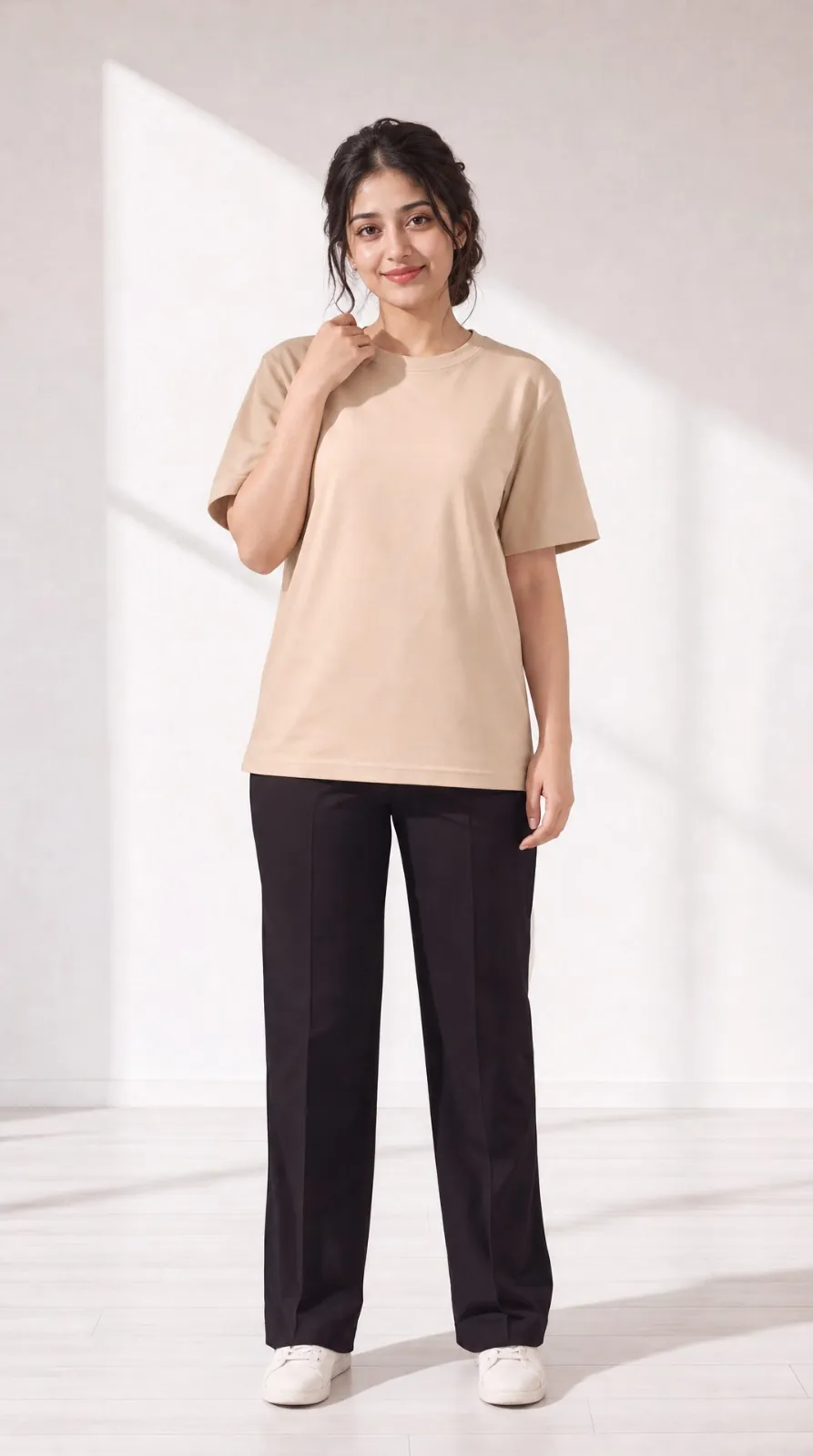
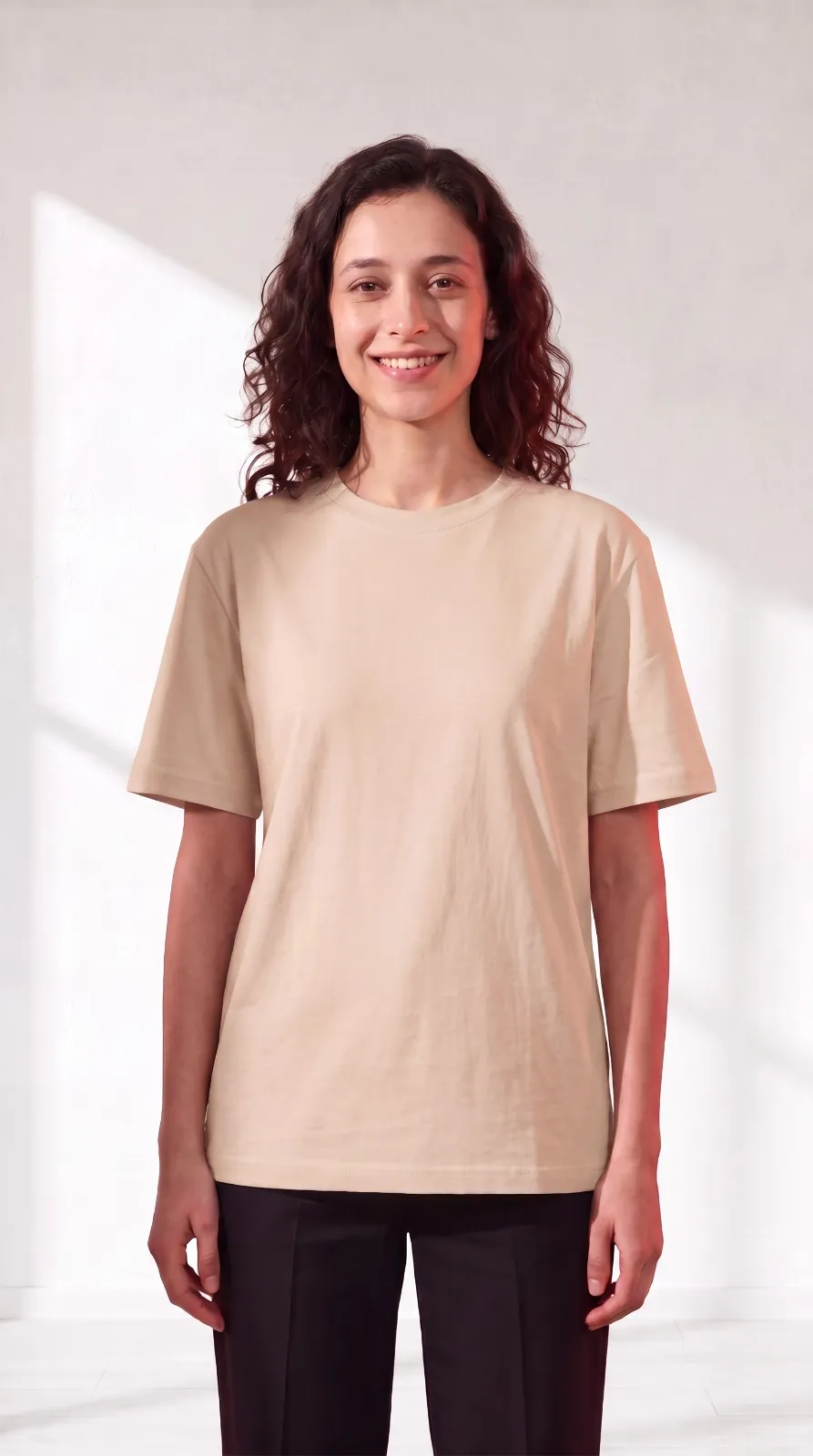
Look at her face on the left. No pores, texture or marks. The skin looks one flat tone from forehead to chin. Neat hair, even lighting, everything looks so perfect.
This is what AI does by default. It gives a plastic surface instead of skin, and the human eye catches it immediately even if the person cannot explain what is wrong.
Now look at the one on the right. Freckles on the cheeks and nose, visible skin texture. Hairs with actual volume and loose strands that are not sitting perfectly in place. Unidirectional source of lighting falling on one side of the face more than the other.
The fix lies in telling the model what a real face has - texture, marks, uneven hair, lighting, a little imperfection.
Problem 2: Flat lighting makes it look 2D
The second one is lighting. This is what makes your character look pasted on the background, or actually present in the scene.
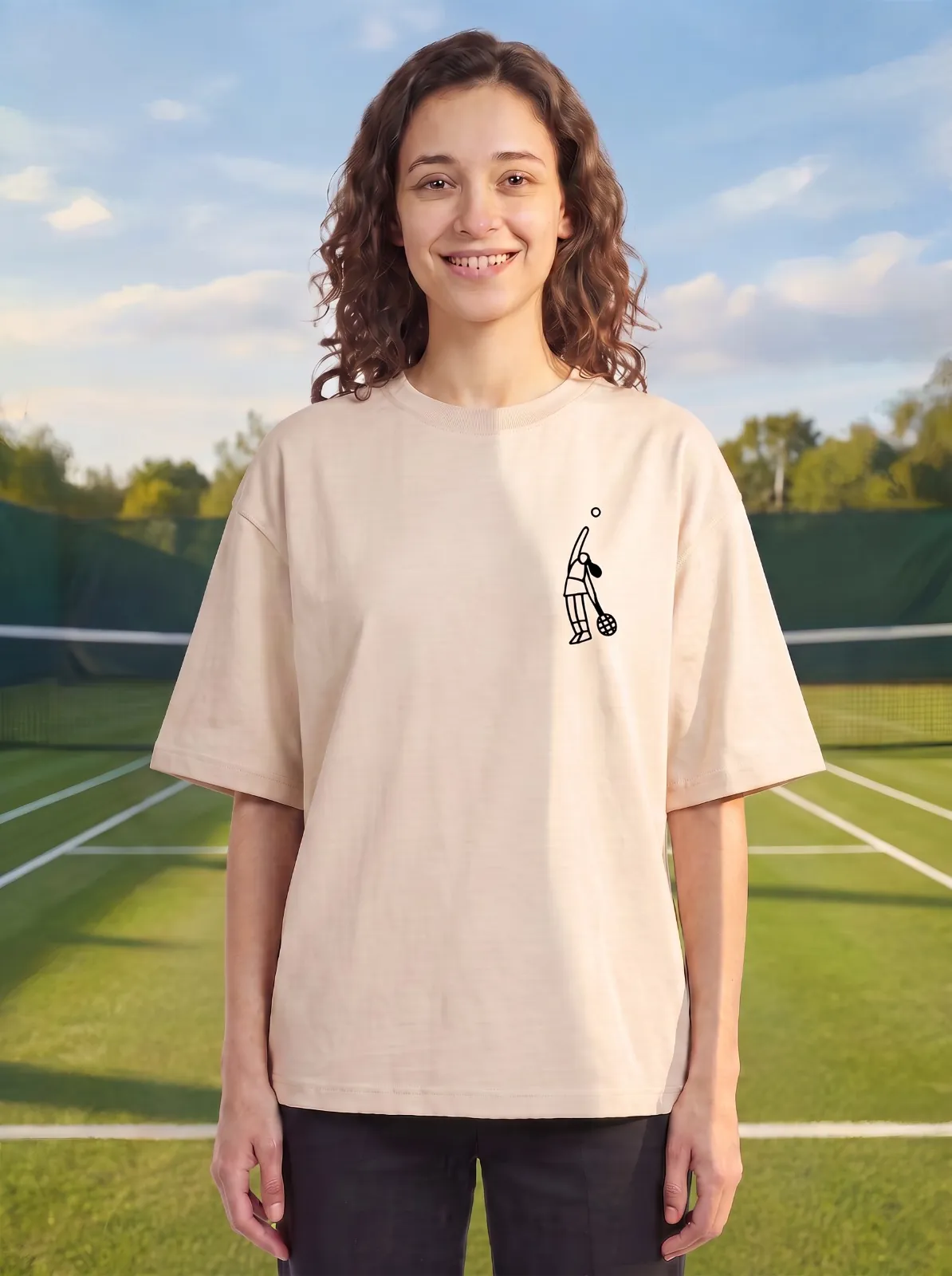
On the left, the tennis court behind her is sharp. She is lit evenly from the front. There is no shadow anywhere on her and nothing connects her to the ground she is standing on.
She looks cut out and pasted and hence the image seems flat.
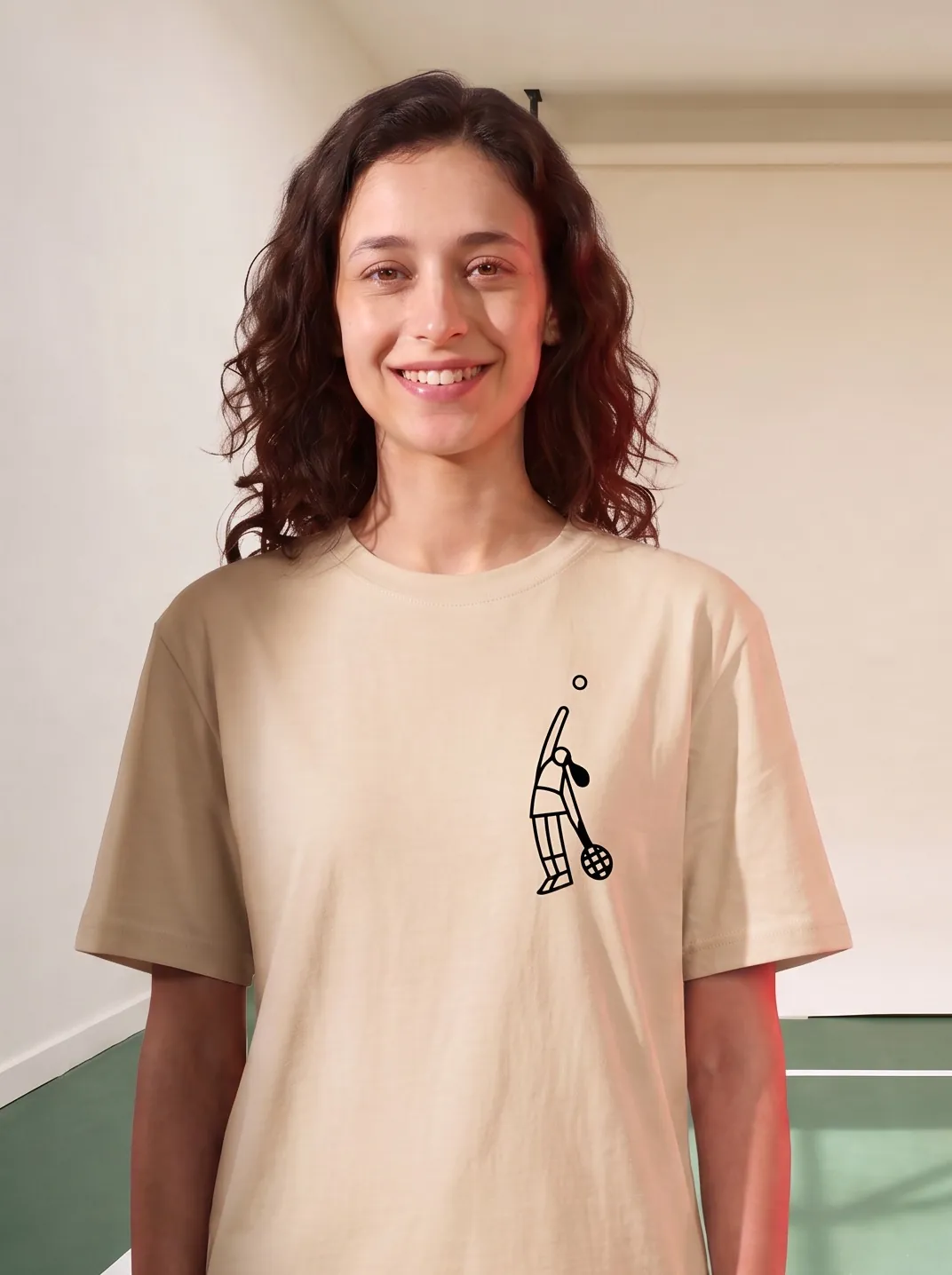
On the right, same girl, same t-shirt. But now the light is coming from one side. There is a shadow on her neck and under her jaw and the light on her shoulder falls off as it goes back.
This image has depth.
Most AI images come out with perfect even light because of an unspecified light source. Just define a unidirectional light source in the prompt and the image stops being flat.
Problem 3: Your camera is too steady
This is the frame we animated. A woman at her desk, talking to the camera.
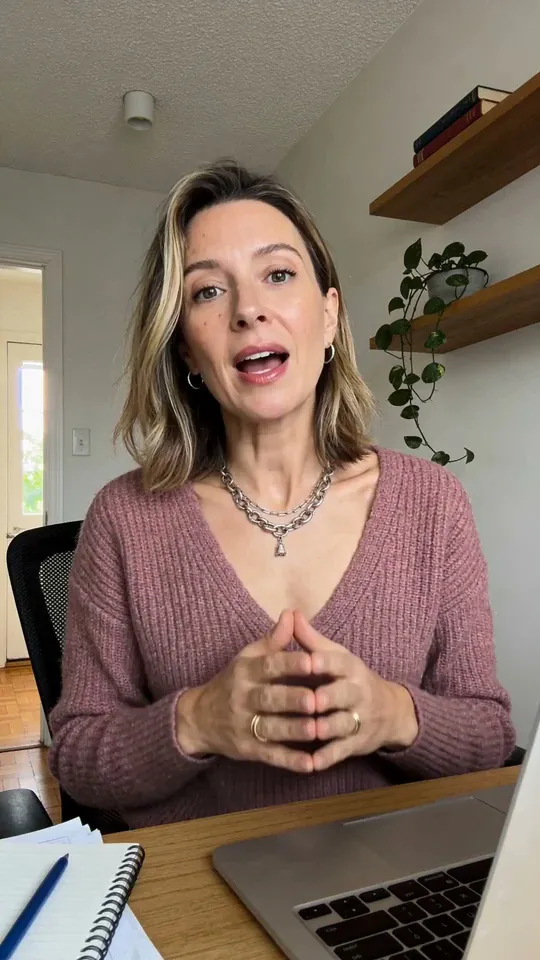
We made two versions of her speech.
On the left, the camera holds perfectly still & static.
Something feels off but it takes a second to know what. Nobody shoots this still. A phone held in someone's hand always moves a little, and even a tripod is never this locked.
On the right, we added small handheld movement, completely uneven. Nothing else changed except the camera movement, and now it looks like someone is actually holding a phone and filming her.
This matters most for UGC and anything that is supposed to look raw. A locked camera makes it feel like a studio setup, while a slightly unsteady one makes it feel like a person shot it.
What we do now -
Now look at this.
This video was generated one shot from a single product image with ‘UGC Talking Character’ skill at Chromatic.
We have baked all our learning of making raw UGC videos into this skill. Instead of writing the prompt again every time and remembering all of this, you just give it a product image and a script and it generates the video in one go.
Go ahead and try it on Chromatic.